





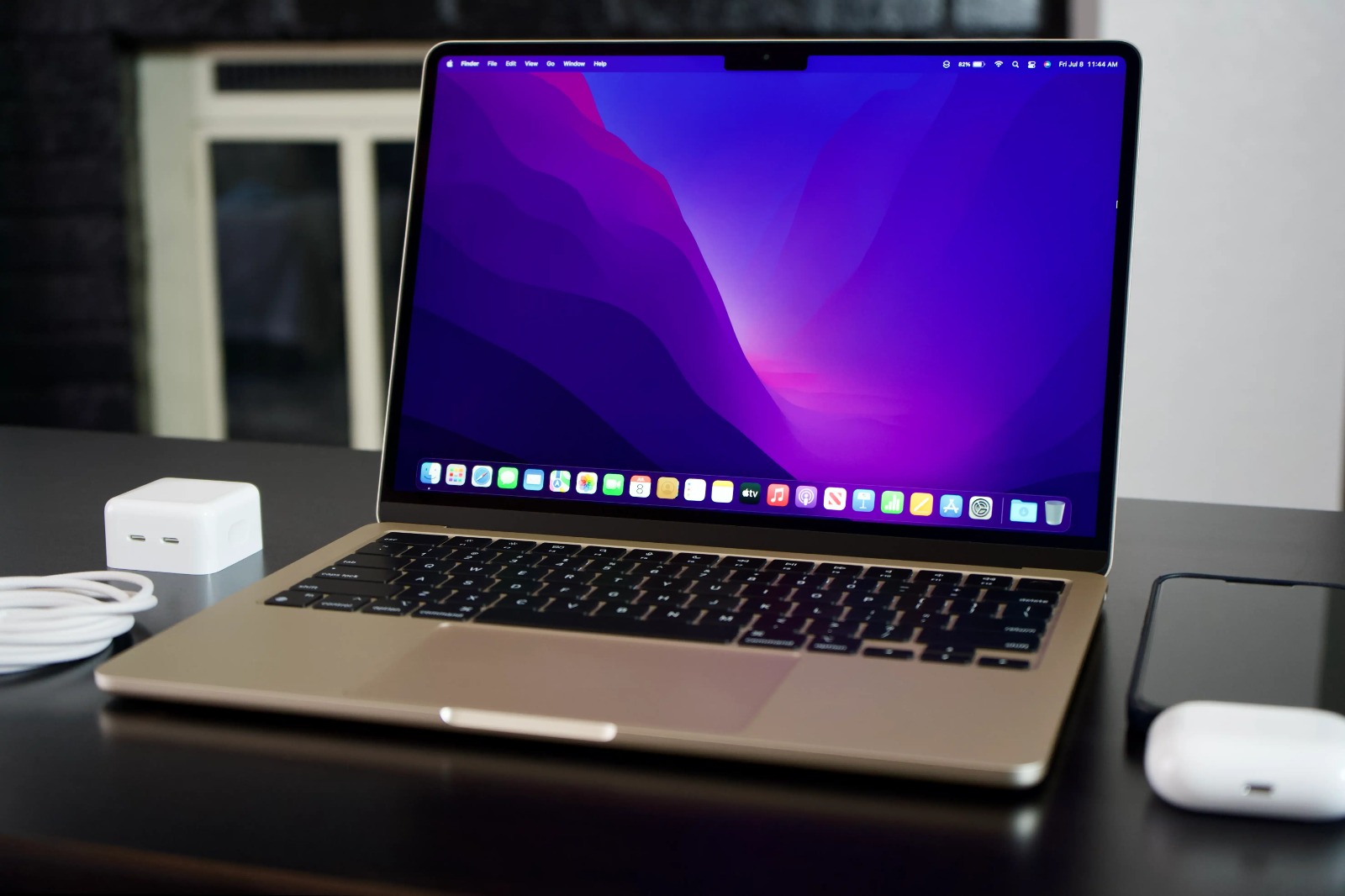
MacBook repair has a reputation for being expensive and complicated — and in some cases, that reputation is earned. Apple Store pricing for MacBook repairs can be eye-watering, and not every shop is equipped to handle Apple laptops properly. At CellularFix in Richmond Hill, we’ve been repairing MacBooks alongside phones since the early days, and the most common repairs — screen replacements and battery replacements — are ones we handle routinely, at prices that are significantly more reasonable than Apple’s out-of-warranty rates. Here’s what you need to know.
The two most common MacBook repairs — and what they cost
The vast majority of MacBook repairs we see fall into two categories.
MacBook screen replacement is the repair people are most anxious about, because MacBook screens have a reputation for being delicate and expensive. The reputation for delicacy is fair — the displays on modern MacBooks, particularly the Retina and Liquid Retina XDR panels on the M-series MacBook Pro, are genuinely premium components. But expensive doesn’t have to mean unaffordable when you go to the right shop.
MacBook screen replacement at CellularFix starts at $199. The exact cost depends on your MacBook model — a MacBook Air 13″ display costs less to replace than a MacBook Pro 14″ or 16″ Liquid Retina XDR panel. We’ll assess your specific model and give you an exact quote before any work begins.
MacBook battery replacement is the repair most MacBook owners need eventually, and it’s also the one that gets put off longest — usually because people assume it costs more than it does. A degraded battery doesn’t just mean shorter runtime; it can cause unexpected shutdowns, performance throttling (Apple’s macOS reduces processor performance to protect a struggling battery), and in some cases swelling that puts pressure on the trackpad or chassis.
MacBook battery replacement at CellularFix starts at $50. For most MacBook Air and MacBook Pro models, battery replacement is a same-day repair that restores the laptop to its original runtime — often dramatically improving performance along the way, because macOS stops throttling the processor once battery health is restored.
Should you repair your MacBook or buy a new one?
This is the question worth thinking through carefully, because the answer isn’t always obvious — and we’d rather give you an honest answer than just take your money.
MacBooks hold their value and performance remarkably well. A MacBook Air from 2019 or 2020 with an Intel processor is still a capable machine for most everyday tasks. A MacBook with an M1 or M2 chip — even from 2020 or 2021 — is powerful enough to run demanding workloads for years to come. If the core machine is working well and the issue is a cracked screen or a degraded battery, repair is almost always the right financial decision.
Where the calculation changes is when the damage is more serious — a liquid-damaged logic board, a severely bent chassis, or multiple simultaneous failures. In those cases we’ll tell you honestly whether repair makes financial sense, rather than quoting you a repair that costs more than the machine is worth.
For the two most common repairs — screen and battery — the answer is almost always: repair it.
Which MacBook models do we repair?
We repair the full range of MacBook models, including:
MacBook Air — M1, M2, and M3 models, as well as Intel-based MacBook Air from 2017 onward. The MacBook Air is our most common MacBook repair — particularly battery replacements, given how many M1 MacBook Airs are now reaching the age where battery degradation becomes noticeable.
MacBook Pro 13″, 14″, and 16″ — including M1 Pro, M2 Pro, M3 Pro, and Max variants, as well as Intel MacBook Pro models going back to 2015. Screen replacements on the 14″ and 16″ Pro models are more involved due to the Liquid Retina XDR panel, but they’re repairs we handle regularly.
MacBook (12″ and non-Pro models) — We also repair older MacBook 12″ models, which have their own battery and screen quirks due to the unusually compact form factor.
If you’re not sure whether we work on your model, call us or bring it in — the diagnostic is free.
What about MacBook keyboard, port, and other repairs?
Screen and battery are the most common repairs, but we handle a range of other MacBook issues as well. Keyboard replacement — particularly on the older butterfly keyboard MacBook Pro models (2016–2019) which had well-documented reliability issues — is a repair we’ve done many times. Port and charging repairs, including MagSafe port issues and USB-C charging problems, are also common, as is fan cleaning and thermal paste replacement for MacBooks that are running hot or throttling performance.
If your MacBook has an issue that isn’t a screen or battery, bring it in or give us a call. We’ll assess it and give you an honest quote.
CellularFix — MacBook repair in Richmond Hill
10909 Yonge Street, Richmond Hill. We’ve been repairing Apple devices alongside phones since 1998, and MacBooks are a regular part of what we do. Our technicians work on MacBooks weekly across a full range of models and repair types.
Free diagnostic on every MacBook brought in. Exact quote before any work begins. No appointment needed — walk in any day of the week.
MacBook screen replacement from $199. Battery replacement from $50. Call us: (905) 770-7331 Address: 10909 Yonge Street, Richmond Hill, ON L4C 3E3 Mon–Fri 10am–7pm · Sat 10am–6pm · Sun 11am–5pm
Q: How much does MacBook screen replacement cost in Richmond Hill? A: MacBook screen replacement at CellularFix starts at $199. The exact cost depends on your specific MacBook model — Air and older Pro models cost less than the newer 14″ and 16″ Pro models with Liquid Retina XDR displays. We provide a free diagnostic and exact quote before starting.
Q: How much does MacBook battery replacement cost? A: MacBook battery replacement at CellularFix starts at $50. For most MacBook Air and MacBook Pro models, it’s a same-day repair that restores original battery runtime and often improves performance, since macOS throttles processor speed to protect a degraded battery.
Q: How do I know if my MacBook battery needs replacing? A: Go to Apple Menu → About This Mac → System Information → Power. If your cycle count is above 1000 or your condition shows “Service Recommended,” replacement is worth considering. Other signs include noticeably shorter runtime than when the laptop was new, unexpected shutdowns, or a trackpad that feels raised (which can indicate a swelling battery).
Q: Do you repair M1, M2, and M3 MacBooks? A: Yes — we repair the full range of MacBook Air and MacBook Pro models including M1, M2, and M3 variants, as well as Intel MacBook models going back to 2015.
Q: Is it worth repairing an older MacBook? A: For most repairs — screen and battery especially — yes. MacBooks with M1 chips or newer are powerful enough to run demanding workloads for many more years. Even Intel MacBooks from 2018–2020 are worth repairing if the core machine is in good condition. We’ll always give you an honest assessment before recommending a repair that doesn’t make financial sense.